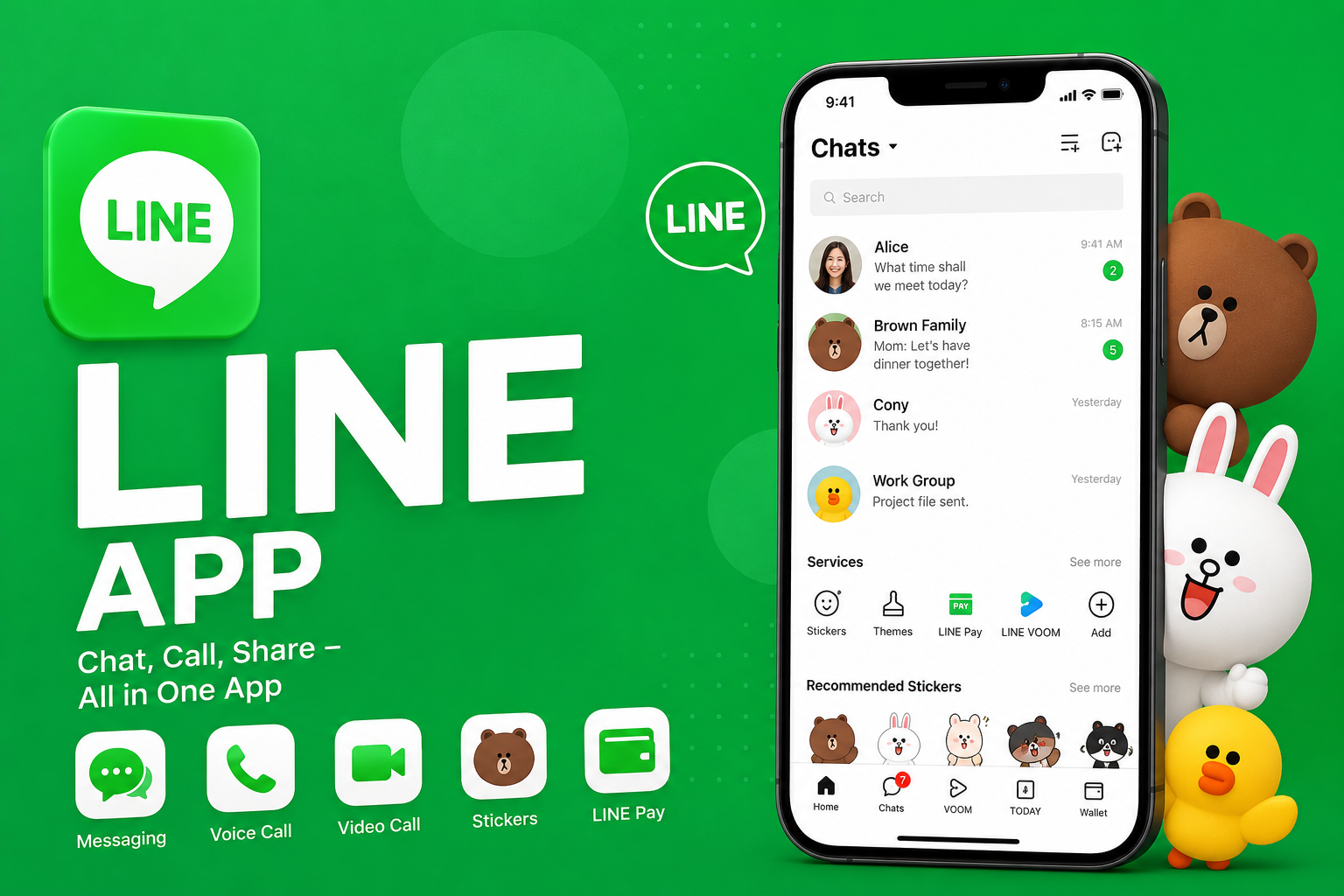
LINE App: Features, Safety, and How It Works
LINE App: A Complete Guide to Features, Privacy, and Everyday Use
The LINE App is one of the world’s most popular messaging platforms, especially across Japan, Taiwan, Thailand, and several other Asian markets. While many people know it as a chat application, LINE has evolved into a much broader digital ecosystem that includes voice and video calls, digital payments, news, shopping, entertainment, and business services.
In this guide, you’ll learn what the LINE App is, how it works, its key features, privacy tools, supported devices, and why it remains a preferred communication platform for millions of users worldwide.
What Is LINE App?
The LINE App is a free messaging and communication platform developed by LY Corporation. It allows users to send text messages, make voice and video calls, share photos, videos, files, and locations, while also offering digital services such as payments, shopping, news, and official business accounts. It is available for Android, iPhone, Windows, macOS, and the web.
The History of LINE App
Why LINE Was Created
LINE was launched in June 2011 after the Great East Japan Earthquake. During the disaster, traditional phone networks became unreliable, highlighting the need for internet-based communication.
Engineers at NHN Japan developed LINE to provide a reliable messaging platform that could function over internet connections instead of relying solely on telephone networks.
Growth Across Asia
Within a few years, LINE became one of the leading messaging apps in Japan and expanded rapidly into Taiwan, Thailand, Indonesia, and other regions. Today, it serves hundreds of millions of registered users worldwide and remains especially dominant in Japan.
Key Features of LINE App
Free Messaging
LINE allows users to exchange:
- Text messages
- Photos
- Videos
- Voice messages
- Documents
- GIFs
- Stickers
- Location sharing
- Contact cards
Messages are delivered through an internet connection rather than traditional SMS.
Voice and Video Calls
Users can make:
- One-on-one voice calls
- Group voice calls
- HD video calls
- Multi-person video meetings
These services work over Wi-Fi or mobile data.
Famous LINE Stickers
One of LINE’s signature features is its extensive sticker marketplace.
Users can choose from:
- Free stickers
- Premium sticker packs
- Animated stickers
- Sound stickers
- Creator-made stickers
- Brand collaboration stickers
Popular characters such as Brown, Cony, Sally, and Moon have become recognizable mascots associated with the platform.
Group Chats
LINE supports group conversations for:
- Families
- Friends
- Schools
- Businesses
- Community organizations
Groups can include shared albums, polls, events, notes, and file sharing.
LINE App Beyond Messaging
Unlike many messaging apps, LINE has developed into a broader digital ecosystem.
LINE Pay
Although availability varies by market, LINE has offered digital payment services that allow users to:
- Send money
- Pay participating merchants
- Make online purchases
- Scan QR codes for payments
Some payment services have changed over time depending on regional business decisions and regulations.
LINE Official Accounts
Businesses can create verified accounts to:
- Send promotions
- Provide customer support
- Share updates
- Offer coupons
- Communicate with customers
Many companies in Japan use LINE as a primary customer communication channel.
LINE VOOM
LINE VOOM is a social feed where users can:
- Share short videos
- Post photos
- Follow creators
- Discover trending content
It functions similarly to a social media timeline within the LINE ecosystem.
LINE Games
The platform also includes numerous mobile games connected through LINE accounts, enabling friends to compete, compare scores, and receive rewards.
Privacy and Security Features
Privacy remains an important aspect of the LINE App.
Letter Sealing
LINE offers end-to-end encryption through a feature called Letter Sealing.
This helps protect supported communications so that only the sender and intended recipient can access message contents.
Additional Security Options
Users can also benefit from:
- Two-step verification
- Device management
- Passcode lock
- Account recovery tools
- Spam reporting
- Blocking unwanted contacts
Keeping the app updated also helps users receive the latest security improvements.
Supported Devices
LINE App works on multiple platforms.
These include:
- Android smartphones
- iPhones
- iPads
- Windows PCs
- Mac computers
- Wearable devices in supported regions
Users can synchronize conversations between supported devices after signing into their accounts.
Popular Features Users Enjoy
Keep Memo
Keep Memo lets users save:
- Personal notes
- Links
- Images
- Documents
- Important messages
It works like a private storage space within LINE.
Albums
Shared albums allow friends and family to upload photos that remain accessible inside chat groups without cluttering conversations.
Notes
Group administrators and members can pin important information using Notes, making announcements easier to find later.
Polls
Users can create quick polls for:
- Meeting times
- Travel plans
- Event decisions
- Group voting
Business Uses of LINE App
Many organizations use LINE for professional communication.
Common business applications include:
- Customer service
- Appointment reminders
- Restaurant reservations
- Retail promotions
- Loyalty programs
- Product announcements
Businesses in Japan often integrate LINE into their customer engagement strategies because of its widespread local adoption.
Advantages of LINE App
Some of the platform’s biggest strengths include:
- Free messaging
- High-quality voice calls
- Video calling
- Rich sticker collection
- Business communication tools
- Cross-device support
- Strong presence in Asian markets
- Multiple integrated digital services
Limitations
Despite its popularity, LINE has some limitations.
These include:
- Smaller user base outside Asia compared with some global messaging platforms
- Certain services are only available in specific countries
- Regional differences in payment and shopping features
- Some premium stickers require purchases
Tips for Using LINE Safely
To improve account security:
- Enable two-step verification.
- Keep your recovery information updated.
- Avoid sharing verification codes.
- Download the app only from official app stores.
- Review connected devices regularly.
- Report suspicious accounts or spam messages.
LINE App Compared With Other Messaging Apps
| Feature | LINE App | Telegram | |
|---|---|---|---|
| Free Messaging | Yes | Yes | Yes |
| Voice Calls | Yes | Yes | Yes |
| Video Calls | Yes | Yes | Yes |
| Group Chats | Yes | Yes | Yes |
| Sticker Marketplace | Extensive | Limited | Extensive |
| Business Accounts | Yes | Yes | Limited |
| Social Feed | Yes (LINE VOOM) | No | Limited |
| Digital Services | Extensive | Limited | Limited |
Each platform serves different audiences, with LINE standing out through its combination of messaging, digital services, entertainment, and business integration.
Why Is LINE App So Popular in Japan?
Several factors contributed to LINE’s success in Japan:
Strong Local Ecosystem
LINE expanded beyond messaging by integrating payments, shopping, news, and official business services into one application.
Cultural Appeal
Its expressive stickers and character-based branding have become deeply associated with digital communication in Japan.
Everyday Convenience
Many businesses, government agencies, retailers, restaurants, and public organizations use LINE to communicate with customers, making it useful for daily life.
Frequently Asked Questions
Q: Is the LINE App free?
A: Yes. Downloading and using LINE for messaging and voice or video calls is free. However, internet data charges from your mobile provider may still apply, and some premium stickers or digital services require payment.
Q: Is LINE App safe to use?
A: LINE includes security features such as end-to-end encryption (Letter Sealing), account verification options, spam controls, and device management. Users should also enable two-step verification and keep the app updated for better protection.
Q: Which countries use LINE the most?
A: LINE is especially popular in Japan, Taiwan, Thailand, and parts of Southeast Asia. It also has users in many other countries, though its strongest presence remains in East Asia.
Q: Can I use LINE on a computer?
A: Yes. LINE offers desktop applications for Windows and macOS, allowing users to continue conversations across multiple supported devices after signing into their accounts.
Q: Does LINE support video calls?
A: Yes. LINE supports both one-on-one and group video calls, making it suitable for personal conversations, remote meetings, and staying connected with family and friends.
Conclusion
The LINE App has grown from a simple messaging service into a comprehensive digital platform that supports communication, entertainment, business, and everyday convenience. Its combination of free messaging, voice and video calls, expressive stickers, privacy features, and integrated services has helped it maintain a strong position in several Asian markets. Whether you’re connecting with friends, communicating with businesses, or exploring its broader ecosystem, LINE offers far more than traditional instant messaging. As the platform continues to evolve, it remains a trusted choice for millions of users looking for a secure and feature-rich communication experience.




One Comment