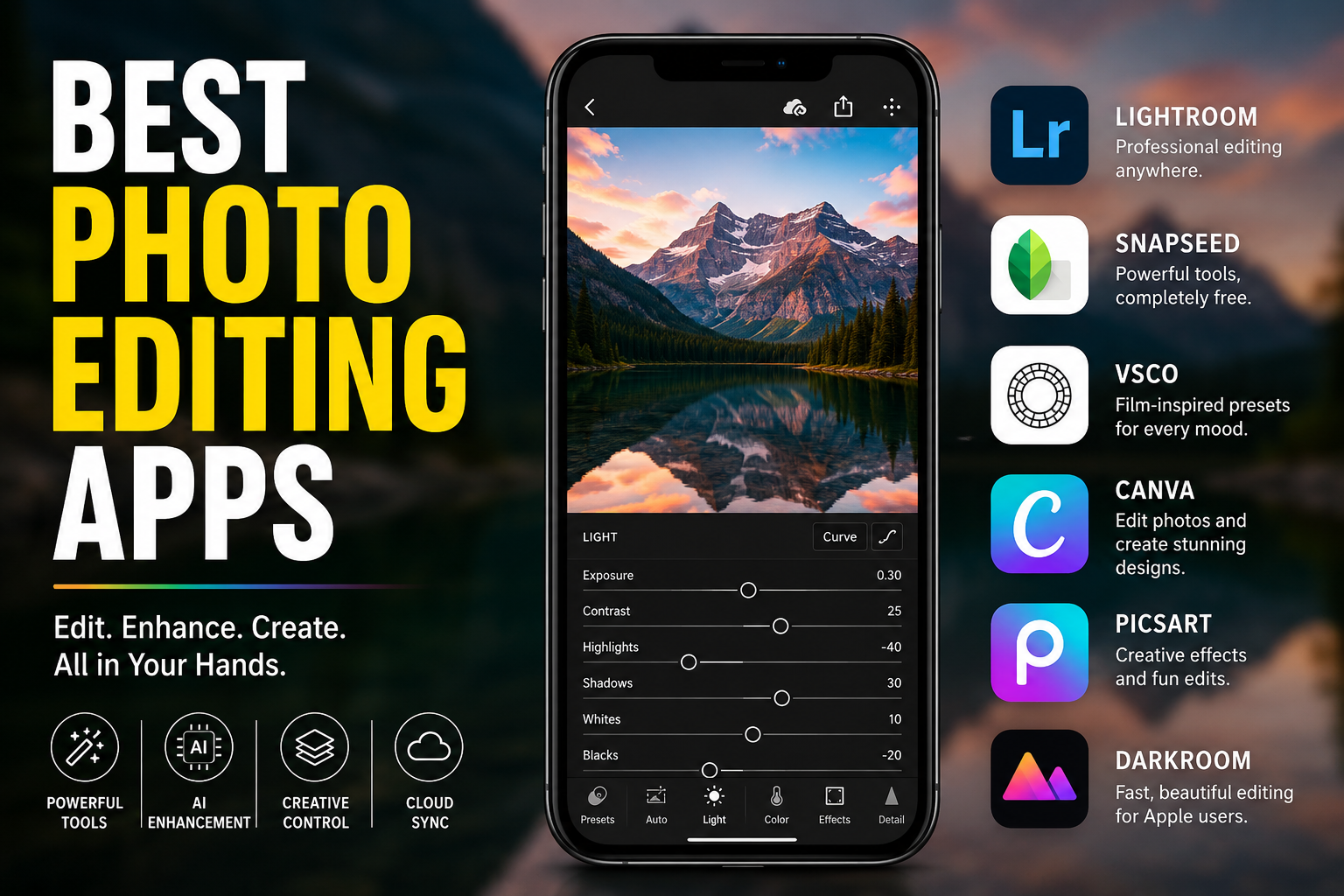
Best Photo Editing Apps in 2026: Top Picks for Every Creator
Best photo editing apps, creating great photos no longer depends on expensive cameras or desktop software. Today’s best photo editing apps bring professional tools, AI-powered enhancements, and creative controls directly to your phone, tablet, or laptop. Whether you want polished Instagram posts, professional RAW edits, quick portrait retouching, or cinematic color grading, there’s an app built for the job.
The challenge is not finding an editor. It’s choosing the right one.
This guide breaks down the best photo editing apps available right now based on editing quality, usability, AI features, platform support, and real-world workflows. Instead of ranking apps only by popularity, we focus on what each tool actually does best.
What Makes a Great Photo Editing App?
A strong photo editor should improve your workflow rather than slow it down.
The best apps combine image quality, responsive performance, intuitive controls, and tools that match your editing style. Modern editors increasingly include AI features for object removal, automatic masking, portrait enhancement, and smart color correction, but manual controls still matter when precision is important.
Look for these essentials:
- Non-destructive editing
- RAW photo support
- AI enhancement tools
- Export flexibility
- Cloud sync across devices
- Presets and custom adjustments
- Fast performance on mobile
1. Adobe Lightroom Mobile — Best Overall
For photographers and serious creators, Lightroom remains one of the strongest all-around options available.
Lightroom stands out because it combines professional editing depth with mobile convenience. You get detailed exposure control, color grading, masking, lens corrections, selective adjustments, and strong cloud integration. Recent updates have expanded AI-assisted editing, including smarter object removal and workflow automation.
Best for:
Professional photography, RAW workflows, travel creators, advanced editing.
Strengths:
- Excellent color controls
- Advanced masking
- Cross-device sync
- Strong AI cleanup tools
- Reliable professional workflow
Potential drawbacks:
- Premium features require subscription
- More complex than beginner apps
2. Snapseed — Best Free Photo Editing App
If you want powerful editing without subscriptions, Snapseed remains difficult to beat.
Developed by Google, Snapseed offers a surprisingly deep toolkit while keeping the interface approachable. Selective adjustments, healing tools, curves, perspective correction, and RAW support make it suitable for both casual users and photography enthusiasts.
One reason Snapseed continues to stay relevant is control. Instead of relying heavily on automated effects, it lets users shape images manually.
Best for:
Free editing, everyday photography, learning photo adjustments.
Strengths:
- Completely free
- No aggressive upsells
- RAW editing
- Excellent selective tools
Potential drawbacks:
- Fewer AI automation features
- Limited cloud workflow
3. VSCO — Best for Aesthetic and Film-Style Editing
VSCO built its reputation around distinctive visual style rather than technical complexity.
Its film-inspired presets remain some of the most recognizable in mobile editing. Newer updates have also expanded editing workflows for creators managing larger photo sets and consistent visual branding.
VSCO works especially well for users who want cohesive feeds, portraits, lifestyle photography, and subtle cinematic tones.
Best for:
Social media creators, aesthetic editing, lifestyle photography.
Strengths:
- Premium filters
- Clean interface
- Consistent color profiles
- Creative workflow
Potential drawbacks:
- Fewer advanced correction tools
- Subscription unlocks most value
4. Canva — Best for Social Media Content
Canva started as a design platform but evolved into a practical image editing tool for creators and businesses.
If your workflow includes resizing images, creating posts, adding text overlays, and publishing across platforms, Canva can save time. Its editing experience prioritizes speed and accessibility over deep photographic control.
Best for:
Content creators, marketers, business owners.
Strengths:
- Extremely beginner-friendly
- Fast templates
- Integrated design tools
- Collaborative workflow
Potential drawbacks:
- Limited advanced photo grading
- Not ideal for professional photography
5. PicsArt — Best for Creative Effects
PicsArt focuses less on traditional photography and more on expression.
Filters, overlays, AI effects, collage tools, stickers, and creative edits make it popular among users producing eye-catching visual content. It favors experimentation and quick results over technical perfection.
Best for:
Creative edits, social media visuals, casual creators.
Strengths:
- Fast creative tools
- AI-powered effects
- Strong mobile experience
Potential drawbacks:
- Can feel crowded
- Less precise than pro editors
6. Darkroom — Best for Apple Users
Darkroom has quietly become one of the strongest editing experiences inside the Apple ecosystem.
Its performance, direct integration with photo libraries, and efficient editing tools make it appealing for users who want professional results without complex menus.
Best for:
iPhone and iPad users.
Strengths:
- Fast performance
- Excellent Apple integration
- Clean interface
Potential drawbacks:
- Limited availability outside Apple devices
How AI Is Changing Photo Editing
Photo editing is becoming more conversational and automated.
Instead of manually adjusting dozens of sliders, newer systems can interpret editing intent, recommend improvements, remove distractions, and accelerate repetitive work. Recent releases across major editing platforms show a clear shift toward AI-assisted workflows while preserving creative control.
That does not mean manual editing is disappearing. The strongest apps combine intelligent automation with detailed user control.
How to Choose the Right App
Choose based on how you actually edit.
- Want professional-quality images → Lightroom
- Want the best free option → Snapseed
- Want aesthetic presets → VSCO
- Want social media content → Canva
- Want creative effects → PicsArt
- Want an Apple-first workflow → Darkroom
Your ideal editor depends more on your process than on feature count.
Frequently Asked Questions
Q: What is the best free photo editing app?
A: Snapseed remains one of the strongest free choices because it includes advanced editing tools, selective adjustments, and RAW support without requiring a subscription.
Q: Which app do professional photographers use?
A: Many professionals rely on Lightroom because of its color controls, non-destructive editing, cloud sync, and advanced photo workflow capabilities.
Q: Are AI photo editing apps worth using?
A: AI tools can save significant time for tasks like masking, cleanup, and enhancement, but manual controls still deliver the most consistent creative results.
Q: Which photo editing app is best for Instagram?
A: VSCO and PicsArt are popular choices for aesthetic styles and social-first editing workflows.
Final Thoughts
The best photo editing apps are no longer defined only by filters or advanced controls. Today, the strongest platforms combine speed, smart automation, and creative flexibility.
Lightroom remains the leading choice for serious editing, Snapseed continues to dominate among free options, and apps like VSCO, Canva, and PicsArt serve distinct creative needs.
Start with the app that matches how you create, not the one with the longest feature list. Great editing feels effortless when the tools fit your workflow.


One Comment