Twitch Streaming: The Complete Beginner-to-Pro Guide
Live streaming has transformed online entertainment, and Twitch streaming has become one of the most popular ways for creators to connect with audiences in real time. While the platform is best known for gaming, it has evolved into a hub for music, art, technology, education, sports discussions, and “Just Chatting” content. (Digital Trends)
Whether you’re thinking about becoming a streamer or simply want to understand how Twitch works, this guide covers everything you need to know—from setting up your first broadcast to building a loyal community and earning revenue.
What Is Twitch Streaming?
Twitch streaming is the process of broadcasting live video content on Twitch, allowing creators to interact with viewers through real-time chat while sharing gaming, creative projects, conversations, music, or other live experiences. Unlike traditional video platforms, Twitch emphasizes live interaction and community engagement. (Digital Trends)
Why Twitch Streaming Is So Popular
Twitch launched in 2011 and quickly became the world’s leading live-streaming platform for gaming before expanding into many other content categories. Millions of viewers visit Twitch every day to watch live broadcasts, participate in chat, and support their favorite creators. (Digital Trends)
Several factors contribute to its popularity:
- Real-time audience interaction
- Strong community culture
- Wide variety of content
- Multiple monetization opportunities
- Global audience reach
- Mobile and desktop accessibility
Unlike prerecorded videos, Twitch allows viewers to influence the stream through live conversations, polls, subscriptions, and channel rewards.
Getting Started with Twitch Streaming
Create a Twitch Account
The first step is creating a free Twitch account and customizing your profile with:
- Profile picture
- Banner
- Bio
- Social media links
- Streaming schedule
A complete profile helps viewers understand what your channel offers.
Choose Your Streaming Category
Although gaming remains Twitch’s biggest category, creators now stream many different topics, including:
Gaming
Gameplay, esports, speedruns, walkthroughs, and competitive matches.
Just Chatting
Casual conversations, podcasts, Q&A sessions, and lifestyle content.
Creative Arts
Digital art, painting, illustration, animation, crafts, and design.
Music
Live performances, production sessions, DJ sets, and songwriting.
Education
Programming, language learning, science, mathematics, and tutorials.
Equipment Needed for Twitch Streaming
One advantage of Twitch streaming is that beginners can start with relatively basic equipment and upgrade over time.
Computer or Console
Many creators stream using:
- Gaming PC
- Laptop
- PlayStation
- Xbox
Console streaming is easier for beginners, while PCs offer more customization. (BroadbandNow)
Stable Internet Connection
A reliable upload speed is essential for smooth broadcasts.
Poor internet quality often causes:
- Buffering
- Dropped frames
- Lag
- Audio synchronization problems
Microphone
Good audio quality is often more important than video quality.
Popular microphone types include:
- USB microphones
- XLR microphones
- Headset microphones
Webcam
A webcam helps viewers connect with the streamer on a personal level, although many successful creators stream without showing their face.
Streaming Software
Most Twitch creators use broadcasting software to manage scenes, overlays, alerts, and audio. OBS Studio is one of the most widely used options. (Riverside)
How to Start Your First Twitch Stream
Configure Your Channel
Before going live:
- Enable two-factor authentication
- Set stream title
- Select category
- Choose language
- Configure moderation settings
Set Up Your Broadcast
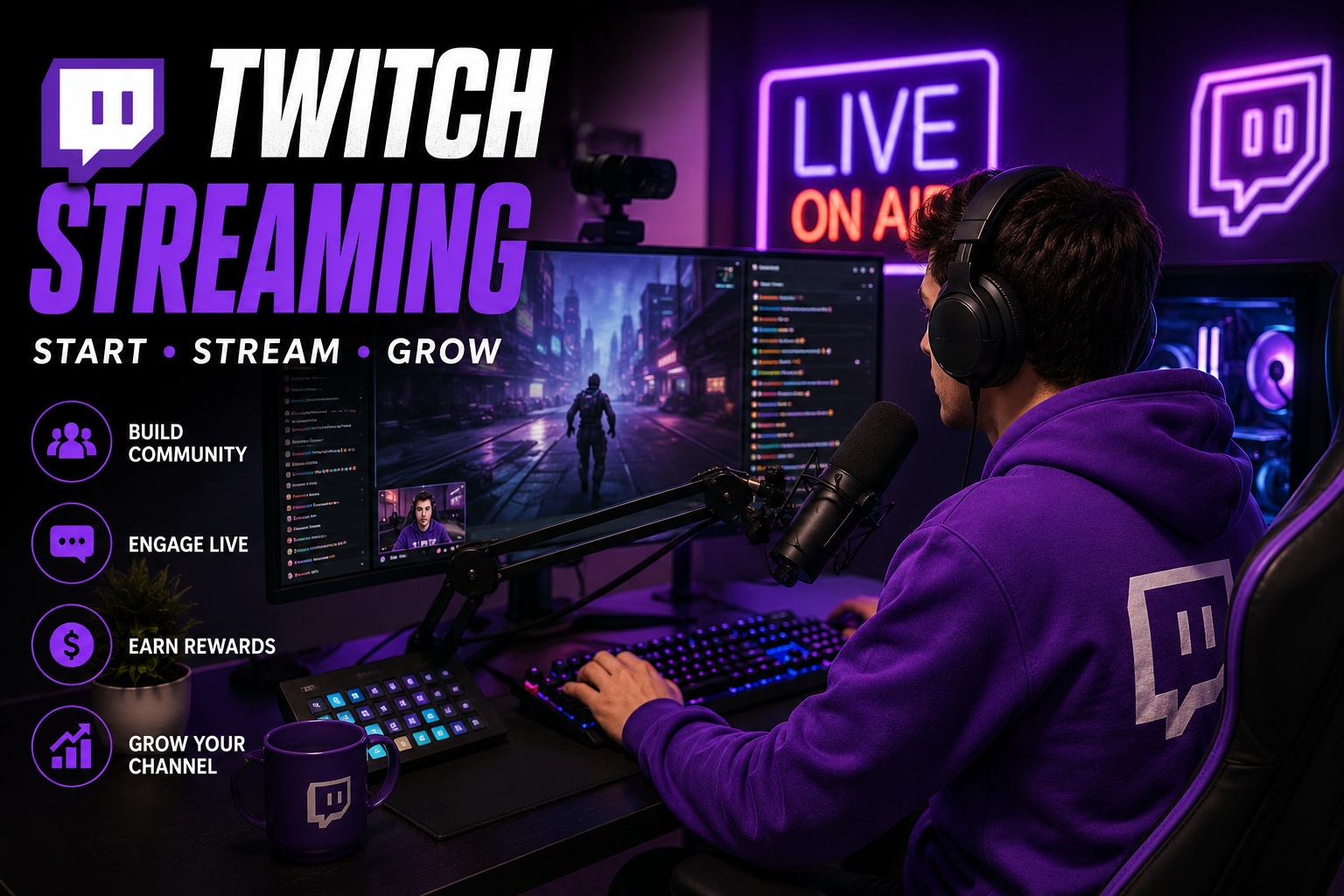
Typical setup includes:
- Game capture
- Webcam
- Microphone
- Alerts
- Chat overlay
- Starting screen
- Ending screen
Test Everything
Before your first public stream:
- Check audio levels
- Test webcam quality
- Verify internet stability
- Confirm alerts work correctly
- Review stream resolution
Many experienced creators recommend private test streams before broadcasting publicly. (Riverside)
How Twitch Streaming Makes Money
One reason Twitch streaming attracts creators is its multiple revenue streams.
Subscriptions
Viewers can subscribe monthly to support their favorite channels while receiving exclusive benefits.
Bits
Bits are Twitch’s virtual currency that viewers purchase to cheer during live streams.
Advertisements
Eligible creators can earn advertising revenue from ads shown during broadcasts.
Sponsorships
As audiences grow, companies may partner with creators for promotional campaigns.
Affiliate Marketing
Many streamers recommend products and earn commissions through affiliate programs.
Monetization opportunities increase as creators qualify for Twitch’s Affiliate and Partner programs. (Lifewire)
Building a Successful Twitch Community
Maintain a Consistent Schedule
Viewers are more likely to return if they know when you’ll be live.
Consistency often matters more than streaming every day.
Engage With Chat
One of Twitch’s biggest strengths is interaction.
Successful streamers frequently:
- Answer questions
- Welcome newcomers
- Respond to comments
- Encourage participation
Create Unique Content
Competition on Twitch is significant.
Standing out often means offering:
- Original ideas
- Entertaining personality
- Specialized knowledge
- Community-focused events
Experienced streamers consistently emphasize that personality and entertainment value matter more than expensive equipment. (Reddit)
Share Content Elsewhere
Many creators expand their audience by sharing:
- Highlights
- Clips
- Short videos
- Announcements
Repurposing content can introduce new viewers to your Twitch channel.
Common Twitch Streaming Mistakes
Many beginners experience slow growth because they make avoidable mistakes.
Some of the most common include:
Ignoring Audio Quality
Poor sound often drives viewers away faster than lower-quality video.
Streaming Without Interaction
Silent streams rarely keep audiences engaged.
Inconsistent Schedule
Random streaming times make it difficult to build regular viewers.
Copying Other Creators
Successful streamers develop their own style instead of imitating others.
Expecting Immediate Success
Building a Twitch community usually takes patience, consistency, and continuous improvement. (Reddit)
Recent Developments in Twitch Streaming
Twitch continues introducing new features aimed at improving both creator and viewer experiences.
Recent updates include:
- Testing vertical livestreams for mobile viewing
- Expanded 2K (1440p) streaming support for eligible creators
- Improved clipping and discovery tools
- New engagement features for communities (The Verge)
These improvements reflect Twitch’s ongoing focus on mobile viewing, content discovery, and creator growth.
Frequently Asked Questions
Q: What is Twitch streaming used for?
A: Twitch streaming allows creators to broadcast live content while interacting with viewers in real time. Although gaming is the platform’s most recognizable category, Twitch also supports music, creative arts, education, technology, sports discussions, and casual conversations.
Q: Can beginners start Twitch streaming?
A: Yes. Beginners can start with a basic computer or gaming console, a stable internet connection, a microphone, and free streaming software. Many successful creators began with simple setups and upgraded their equipment as their channels grew.
Q: How do Twitch streamers earn money?
A: Eligible creators can generate income through subscriptions, Bits, advertisements, sponsorships, affiliate marketing, merchandise, and viewer donations. Earnings typically grow alongside audience size and engagement.
Q: Is Twitch streaming only for gamers?
A: No. While gaming remains a major focus, Twitch now features creators in categories such as music, cooking, digital art, fitness, education, podcasts, and “Just Chatting,” making it suitable for many different interests.
Q: Do I need expensive equipment to stream on Twitch?
A: No. Many creators begin with a standard computer or console, a decent microphone, and free broadcasting software. Improving audio quality and maintaining a stable internet connection generally has a greater impact than buying high-end gear immediately.
Conclusion
Twitch streaming has evolved far beyond its gaming roots into one of the world’s leading platforms for live entertainment, education, and community building. Whether your goal is to share gameplay, teach a skill, perform music, or simply connect with people who share your interests, Twitch offers accessible tools and opportunities to grow an audience. Success typically comes from consistency, meaningful interaction, and creating content that reflects your unique personality rather than chasing trends. By focusing on quality, engagement, and continuous improvement, new streamers can steadily build a loyal community and make the most of everything Twitch has to offer.