Apple TV: Everything You Need to Know in 2026
Apple TV has evolved from a simple streaming device into a complete entertainment hub for movies, TV shows, gaming, music, smart home control, and video calls. Whether you’re considering buying an Apple TV 4K or simply want to understand how Apple’s television ecosystem works, knowing what it offers can help you make an informed decision.
In this guide, you’ll learn what Apple TV is, how it works, its standout features, differences between Apple TV hardware and Apple TV+, setup instructions, pricing, and whether it’s still worth purchasing in 2026.
What Is Apple TV?
Apple TV is Apple’s digital media platform that consists of two main products: the Apple TV streaming device and the Apple TV app. The streaming device connects to your television via HDMI and runs tvOS, allowing you to stream content, play games, use apps, and control compatible smart home devices. The Apple TV app, meanwhile, is available on Apple devices and many smart TVs, bringing together movies, TV shows, and Apple TV+ content in one place.
Apple TV Hardware Overview
Apple TV 4K
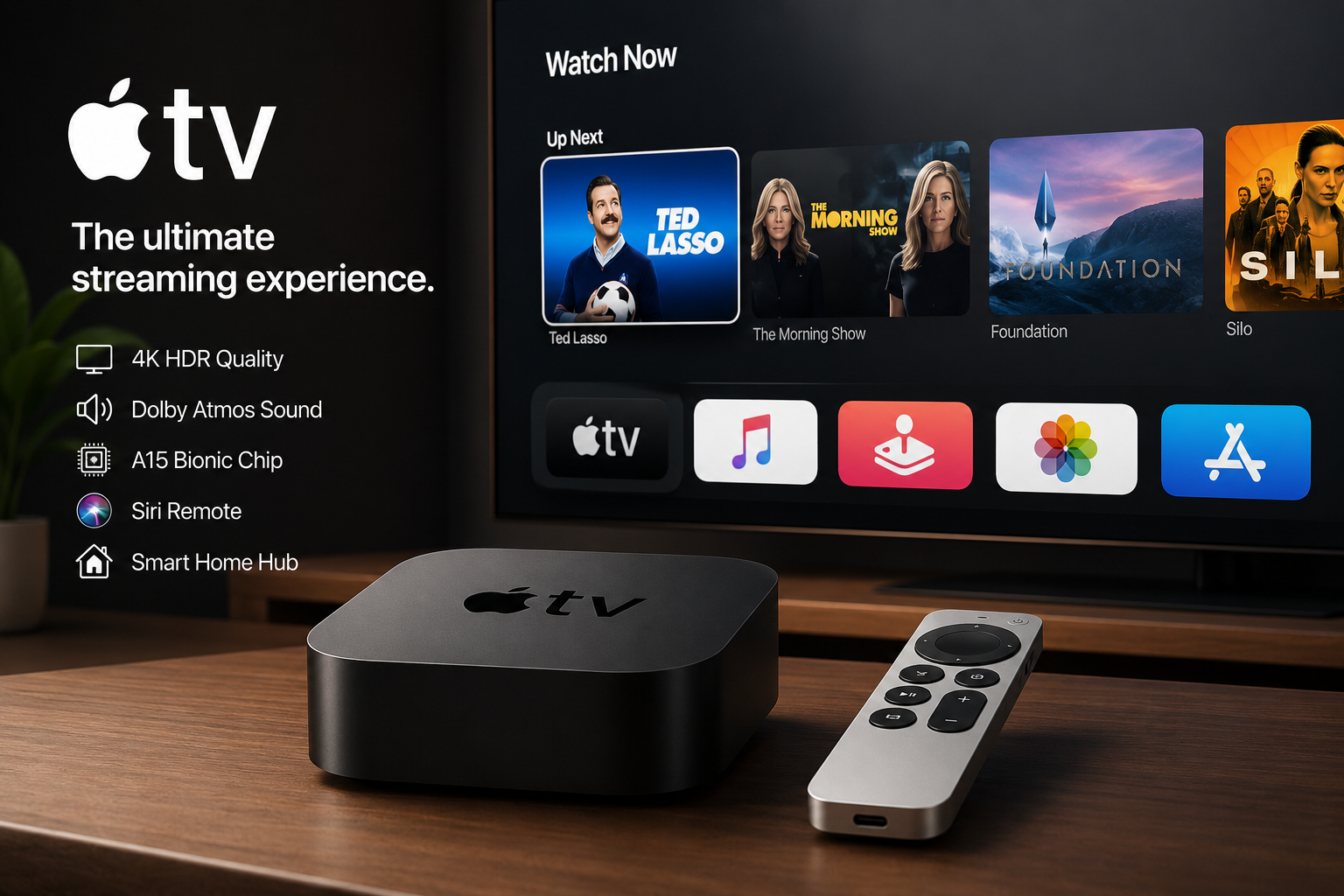
Apple’s flagship streaming device is the Apple TV 4K, designed to deliver premium home entertainment.
Key features include:
- 4K Ultra HD video output
- HDR10, HDR10+, and Dolby Vision support
- Dolby Atmos surround sound
- Fast Apple-designed processor
- Wi-Fi and Ethernet options (model dependent)
- Siri Remote with voice search
- HDMI connectivity
- Support for HomeKit smart home accessories
The Apple TV 4K is designed for users who want high-quality streaming with fast performance and deep integration with the Apple ecosystem.
Siri Remote
The included Siri Remote allows users to:
- Search using voice commands
- Control TV volume
- Navigate with a touch-enabled clickpad
- Power compatible televisions on and off
- Launch apps quickly
Voice search through Siri makes finding movies, shows, actors, and genres significantly faster than typing.
Apple TV Software: tvOS
tvOS is Apple’s operating system for Apple TV devices.
It offers:
Smooth User Experience
The interface is simple, responsive, and easy to navigate. Apps launch quickly, and content recommendations are personalized.
App Store
Users can install numerous apps, including:
- Netflix
- Disney+
- Prime Video
- YouTube
- Spotify
- Plex
- Twitch
- Fitness apps
- Educational apps
Gaming
Apple TV supports many games available through the App Store.
Compatible wireless controllers from PlayStation and Xbox can also be connected for console-style gaming.
Apple TV+
Apple TV+ is Apple’s subscription-based streaming service featuring exclusive original programming.
Unlike the Apple TV device, Apple TV+ is a content subscription.
Popular Apple Originals include:
- Ted Lasso
- Severance
- The Morning Show
- Silo
- Foundation
- Slow Horses
- Shrinking
- Monarch: Legacy of Monsters
Apple continues investing heavily in award-winning films, documentaries, children’s programming, and original series.
Apple TV App
The Apple TV app serves as a centralized entertainment hub.
It allows users to:
- Watch Apple TV+
- Buy movies
- Rent films
- Access purchased iTunes content
- Subscribe to supported streaming channels
- Continue watching across Apple devices
The app is available on:
- iPhone
- iPad
- Mac
- Apple TV
- Selected smart TVs
- Streaming devices
- Gaming consoles
Key Features of Apple TV
Excellent Picture Quality
Apple TV supports:
- 4K resolution
- HDR10
- HDR10+
- Dolby Vision
These technologies improve brightness, contrast, and color accuracy.
Dolby Atmos Audio
Compatible sound systems can produce immersive three-dimensional audio, enhancing movies and television shows.
Apple Ecosystem Integration
Apple TV works seamlessly with:
- iPhone
- iPad
- Mac
- Apple Watch
- AirPods
- HomePod
- HomeKit devices
For example, users can easily mirror an iPhone screen using AirPlay.
Family Sharing
Multiple family members can:
- Share purchases
- Maintain personal watchlists
- Receive individualized recommendations
Privacy
Apple emphasizes user privacy with features such as limited tracking and secure account management.
Apple TV for Smart Homes
Apple TV functions as a Home Hub.
This enables users to:
- Control smart lights
- Lock compatible doors
- Monitor security cameras
- Automate routines
- Manage connected HomeKit accessories remotely
For households invested in Apple’s smart home ecosystem, this is a major advantage.
Apple TV vs Apple TV+
Many people confuse these two products.
| Apple TV | Apple TV+ |
|---|---|
| Physical streaming device | Streaming subscription service |
| Runs apps and games | Provides original TV shows and movies |
| One-time hardware purchase | Monthly subscription |
| Uses tvOS | Available through Apple TV app |
Understanding this distinction helps avoid confusion when shopping.
How to Set Up Apple TV
Setting up Apple TV typically takes only a few minutes.
Step 1
Connect Apple TV to your television using an HDMI cable.
Step 2
Connect the power cable.
Step 3
Select the appropriate HDMI input on your television.
Step 4
Pair the Siri Remote.
Step 5
Sign in using your Apple Account.
Step 6
Install preferred streaming apps.
Step 7
Start watching content.
If you own an iPhone, setup can be even faster through automatic device pairing.
Who Should Buy Apple TV?
Apple TV is ideal for:
- Apple ecosystem users
- Movie enthusiasts
- Families
- Gamers
- Smart home owners
- Users seeking premium streaming quality
It may be less appealing for people who already own a smart TV with all the apps they need and do not require Apple’s additional ecosystem features.
Advantages of Apple TV
- Outstanding video quality
- Fast performance
- Clean user interface
- Long software support
- Excellent privacy
- Premium build quality
- Siri voice control
- Strong smart home integration
- High-quality streaming experience
Potential Drawbacks
- Higher price than many competitors
- HDMI cable usually sold separately
- Apple TV+ requires a subscription for exclusive originals
- Some advanced features work best within the Apple ecosystem
Frequently Asked Questions
Q: What is Apple TV used for?
A: Apple TV is used to stream movies, TV shows, sports, music, and games. It also supports apps, smart home control, AirPlay, FaceTime on compatible setups, and access to Apple’s streaming service, Apple TV+.
Q: Is Apple TV the same as Apple TV+?
A: No. Apple TV is the streaming hardware and software platform, while Apple TV+ is Apple’s subscription streaming service that offers original movies, documentaries, and television series.
Q: Do I need an Apple device to use Apple TV?
A: No. Apple TV can be used independently after setup, although owning an iPhone, iPad, or Mac provides additional convenience through AirPlay, easier configuration, and deeper ecosystem integration.
Q: Can Apple TV replace cable television?
A: For many users, yes. By combining streaming services, live TV apps, sports subscriptions, and on-demand content, Apple TV can serve as a complete alternative to traditional cable.
Q: Does Apple TV support gaming?
A: Yes. Apple TV supports a variety of App Store games and works with compatible PlayStation and Xbox wireless controllers, offering a casual gaming experience suitable for families and entertainment.
Q: Is Apple TV worth buying in 2026?
A: If you value premium performance, excellent picture quality, strong privacy features, and seamless integration with other Apple devices, Apple TV remains one of the best premium streaming devices available in 2026.
Conclusion
Apple TV has become much more than a streaming box. It combines powerful hardware, the intuitive tvOS operating system, high-quality video and audio support, smart home capabilities, gaming, and seamless integration with Apple’s broader ecosystem. Meanwhile, Apple TV+ continues expanding its catalog of acclaimed original series and films, giving subscribers access to exclusive entertainment.
Whether you’re upgrading your home theater or looking for a reliable streaming solution, Apple TV delivers a polished, fast, and feature-rich experience. For users invested in Apple products or anyone seeking a premium streaming platform, it remains one of the strongest choices available today.