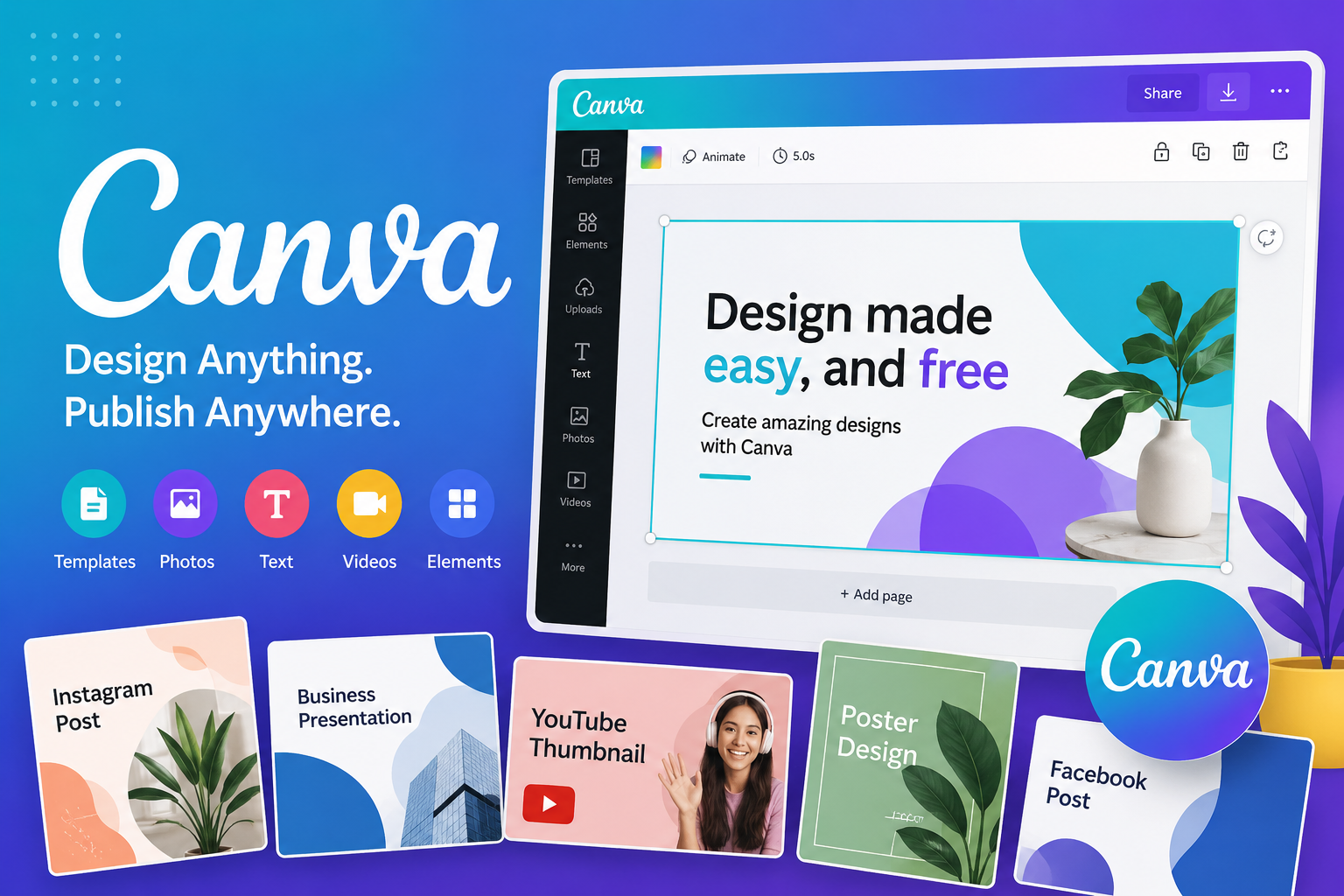
Canva: Design Made Simple for Everyone
Introduction
In today’s digital world, visual content is essential—and that’s where Canva stands out. Whether you’re a beginner or a professional, Canva makes it easy to create stunning designs without advanced technical skills. From social media graphics to presentations and marketing materials, Canva has become a go-to platform for millions worldwide.
In this article, you’ll learn what Canva is, how it works, its key features, real-world uses, and why it’s one of the most popular design tools available today.
What Is Canva?
Canva is a cloud-based graphic design platform that allows users to create visual content such as social media posts, presentations, posters, and videos using drag-and-drop tools and pre-designed templates.
Founded in 2012, Canva has revolutionized design by making it accessible to everyone—no design background required.
The Evolution and Growth of Canva
Founding and Early Vision
Canva was founded in 2012 by Melanie Perkins, Cliff Obrecht, and Cameron Adams. The idea started with a simple goal: to simplify graphic design and make it accessible to non-designers.
Before Canva, creating professional designs often required tools like Photoshop, which could be complex and expensive. Canva filled this gap with a user-friendly interface.
Rapid Global Expansion
Since its launch in 2013, Canva has grown rapidly:
- Millions of users worldwide
- Available in over 190 countries
- Supports multiple languages
- Used by individuals, businesses, and educational institutions
Its freemium model—offering both free and paid features—helped it reach a wide audience.
Continuous Innovation
Canva has expanded beyond simple graphics into:
- Video editing
- Website creation
- AI-powered design tools
- Brand management systems
This evolution keeps Canva competitive in the design industry.
Key Features of Canva
Drag-and-Drop Design Interface
One of Canva’s biggest strengths is its simplicity. Users can:
- Add elements with one click
- Resize and move objects easily
- Customize layouts without technical skills
This makes design fast and intuitive.
Thousands of Templates
Canva offers ready-made templates for:
- Instagram posts
- YouTube thumbnails
- Presentations
- Business cards
- Posters
These templates save time and inspire creativity.
Extensive Media Library
Users can access:
- Millions of stock photos
- Icons and illustrations
- Videos and audio clips
Many resources are free, while premium assets are available with Canva Pro.
Collaboration Tools
Canva allows teams to:
- Work on designs together in real time
- Share links for feedback
- Assign roles and permissions
This makes it ideal for businesses and remote teams.
AI-Powered Tools
Canva has integrated AI features like:
- Magic Write (text generation)
- Background remover
- Design suggestions
These tools speed up content creation significantly.
How Canva Is Used in Real Life
Social Media Content Creation
Canva is widely used by content creators and influencers to design:
- Instagram posts and stories
- Facebook banners
- YouTube thumbnails
Its templates are optimized for each platform’s dimensions.
Business and Marketing
Businesses use Canva for:
- Branding materials
- Advertisements
- Presentations
- Email graphics
Small businesses especially benefit from Canva’s cost-effective tools.
Education and Students
Teachers and students use Canva to create:
- Class presentations
- Infographics
- Study materials
Its ease of use makes it perfect for educational environments.
Personal Projects
Individuals use Canva for:
- Invitations
- Resumes
- Photo collages
- Event posters
It’s a versatile tool for everyday creative needs.
Canva Free vs Canva Pro
Canva Free Plan
The free version includes:
- Basic templates
- Limited stock media
- Standard design tools
It’s sufficient for most casual users.
Canva Pro Plan
The paid version unlocks:
- Premium templates and assets
- Brand kits (logos, colors, fonts)
- Background remover
- Magic Resize feature
- Increased cloud storage
Canva Pro is ideal for professionals and businesses.
Advantages of Using Canva
Easy to Use
No design experience is required. The interface is beginner-friendly and intuitive.
Cost-Effective
The free version offers powerful features, while the Pro plan remains affordable compared to traditional design software.
Time-Saving
Templates and drag-and-drop tools reduce design time significantly.
Versatile
Canva supports a wide range of design formats, from social media to print materials.
Limitations of Canva
Limited Advanced Editing
Compared to professional tools like Adobe Photoshop, Canva lacks deep editing capabilities.
Template Dependency
Some users rely heavily on templates, which can limit originality.
Internet Requirement
Canva is primarily web-based, so a stable internet connection is needed.
Tips to Use Canva Like a Pro
Customize Templates
Don’t just use templates as-is—change colors, fonts, and layouts to match your brand.
Use Brand Kits
If you’re a business, set up your brand colors and fonts for consistency.
Leverage AI Tools
Use Canva’s AI features to speed up design and content creation.
Keep Designs Simple
Avoid clutter—clean and minimal designs are more effective.
FAQ Section
Q: Is Canva free to use?
A: Yes, Canva offers a free plan with many useful features, including templates, design tools, and basic media. However, premium assets and advanced features are available through Canva Pro.
Q: Can beginners use Canva easily?
A: Absolutely. Canva is designed for beginners with its drag-and-drop interface, simple tools, and ready-made templates that make designing easy without prior experience.
Q: What can I create using Canva?
A: You can create social media posts, presentations, posters, resumes, videos, logos, and much more. Canva supports both digital and print designs.
Q: Is Canva good for businesses?
A: Yes, Canva is widely used by businesses for marketing, branding, and communication. Its collaboration tools and brand kits make it especially useful for teams.
Q: Does Canva work on mobile devices?
A: Yes, Canva has mobile apps for both Android and iOS, allowing users to design and edit content on the go with full functionality.
Conclusion
Canva has transformed the way people approach design by making it simple, fast, and accessible to everyone. Whether you’re a student, entrepreneur, content creator, or professional designer, Canva offers tools that fit your needs.
From its intuitive interface to powerful features like templates, collaboration tools, and AI enhancements, Canva continues to lead the digital design space. While it may not replace advanced software for professionals, its versatility and ease of use make it an essential tool in today’s content-driven world.


One Comment